Research, design and build. Solo, with AI as pair programmer
Timeline
v1.0 to v2.9, November 2026
Platform
Installable PWA, offline first, phone and desktop
Stack
TypeScript, IndexedDB, Cloudflare Workers and D1
The problem
Task apps expect you to organize while you capture. On tired days that’s too much, so the app gets abandoned and missed tasks start to feel like failure.
What Nudge! does
Capture first and sort later. The right task rises at the right time, and effort is rewarded instead of streaks, so a slow week never costs you progress.
Process
From a single HTML file to a synced app
v1.0One HTML fileMatrix, effort points and peso rewards. Used daily to find what worked.
PlanBible and design systemEvery rule, the data model and design tokens written down first.
v2.2SyncPasskey sign-in, sync between devices and push reminders.
v2.3–2.5PolishSupernova and Aurora skies, a warmer welcome, haptics.
v2.6–2.7New home, reliable remindersnudge.innovaspace.app, in-app feedback, reminders within a minute.
v2.9Works with Noggin?Steps sent from Noggin? arrive as tasks, and their status flows back.
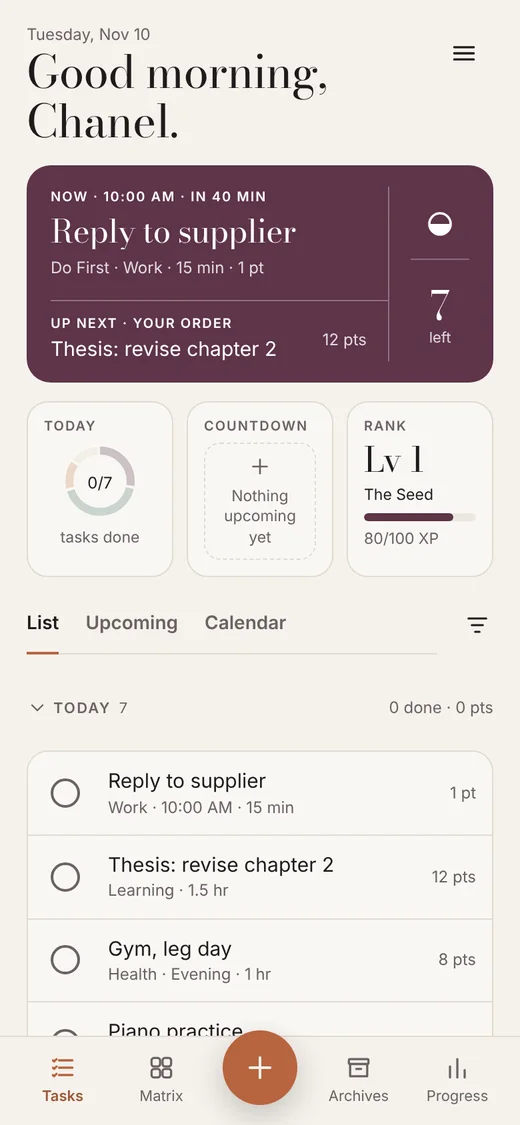
Best feature · Task Banner
What to do now, and what’s next.
Home shows one task at a time. Order it your way, by the Matrix, or by Task Demand (light tasks first, or heavy first on a strong day). Timed tasks rise about an hour before they start.
Now
Reply to supplierin 45 min · 15 min
Up next
Thesis edits · heavy
Piano practice
Best feature · B=MAP insights
Learning why tasks get avoided.
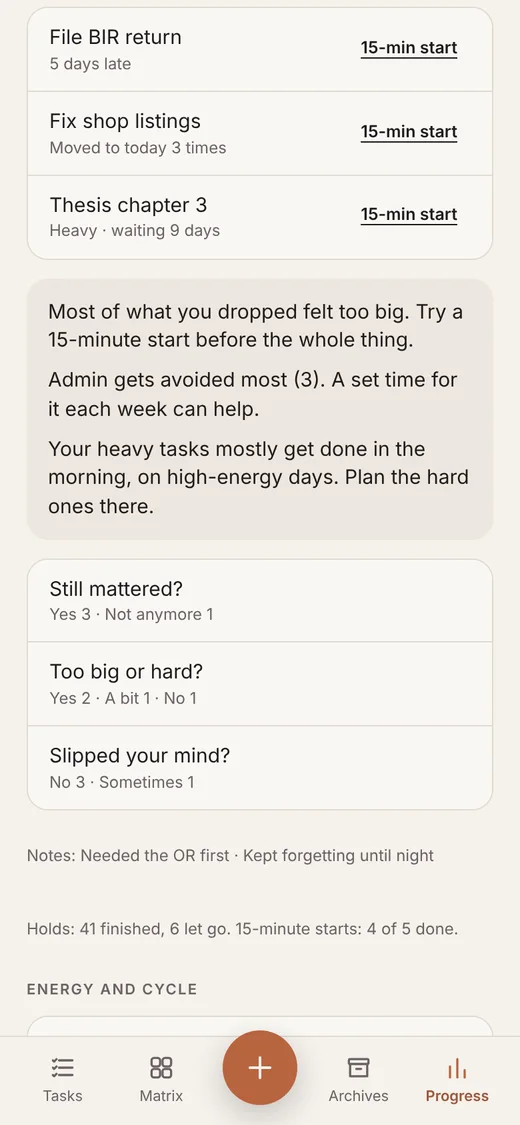
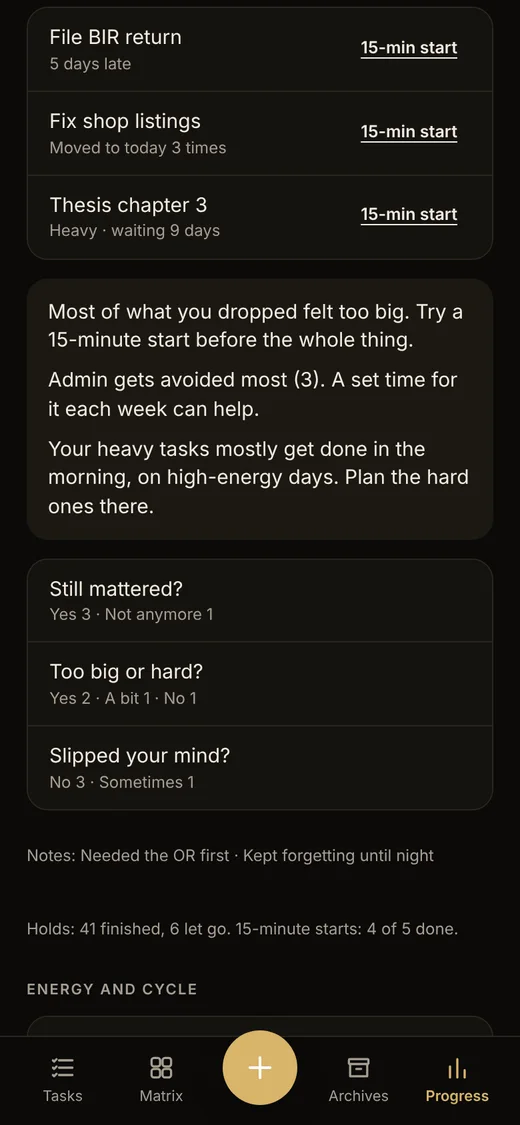
Based on the Fogg Behavior Model (Behavior = Motivation, Ability, Prompt). Deleting an overdue task asks three skippable questions, and Analytics turns the answers into one gentle tip.
Before it goes…
M · Does it still matter?A · Too big or too hard?P · Did it slip your mind?
Most of what you dropped felt too big. Try a 15-minute start.
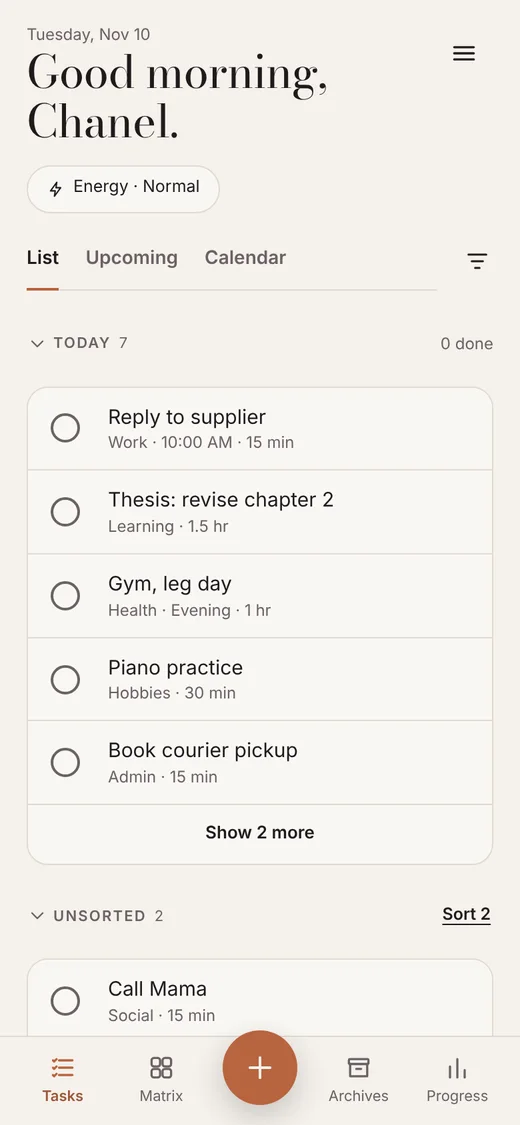
Capture first, sort laterFast capture to Unsorted with an optional batch date, then a Sort flow when you have headspace.
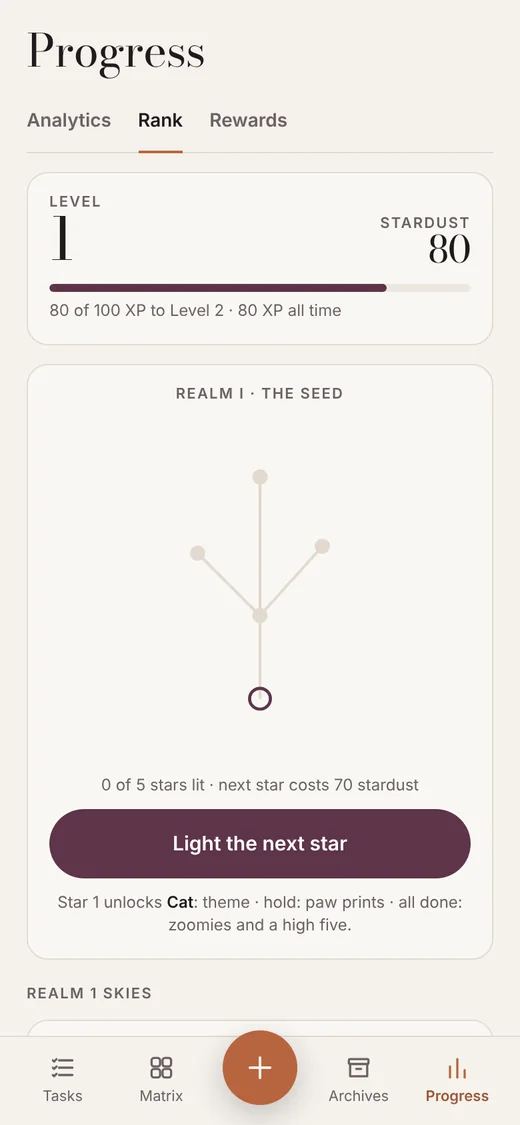
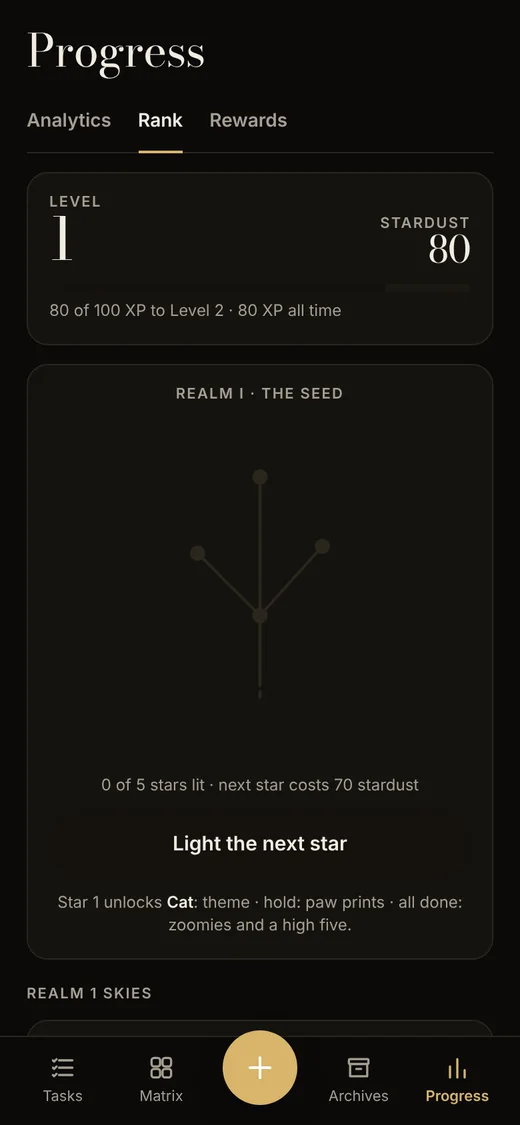
Effort points, up only1 point per 15 minutes. Constellation levels never drop. Stardust and peso rewards.
Energy awareA daily energy check-in, plus an optional cycle-based estimate. Your answer always wins.
Offline, synced if you wantWorks without an account. Passkey sign-in syncs devices and sends reminders.
Decisions that changed
What I changed after using v1 every day, and why
RebuildStart over, on paper firstv1 grew as one HTML file. For 2.0 I wrote every rule and the data model down first, then rebuilt in reviewed phases.
RewardsEffort, not completion1 point per 15 minutes of effort, and multi-day tasks are checked off per day, so big tasks still pay off along the way.
RanksAlchemy to constellationsLevels come from lifetime XP and never drop. Stardust is spent separately, so spending never costs you a level.
CaptureCategories became optionalAnything unpicked is Uncategorized. Sorting can wait, so capture stays instant on tired days.
EnergyYour answer always winsThe optional cycle-based estimate only suggests. The daily check-in overrides it and feeds Analytics.
AccountsOffline first, sign-up optionalEverything works on the device. Passkeys and sync are there for people who want more than one device.
Make it yours
Full when you want it. A plain list when you don’t.
Every layer is optional: the Task Banner, the widgets, points and rewards, the energy check-in. Switch them off and Nudge! becomes a calm, simple task list. No pressure. The point is that anyone can use it, whatever their habits need.
Everything on
Minimal: banner, widgets and points off
What I tested and learned
From my own daily use of 2.6, written down as I went
Reminders didn’t always arrive.I missed a 9 PM briefing and a timed test task.2.7: reminders go out within a minute, late-added tasks are scheduled, and Settings shows what’s coming up and what was sent.
I couldn’t find the briefing time.It lived only under Home screen settings.2.7: it’s also in Notifications, where I looked first.
The briefing notice stayed after I tapped it.It should clear and take me to tomorrow.2.7: it dismisses and opens Upcoming, from the push too.
Lists didn’t behave the same.Upcoming items weren’t tappable, and points showed in some lists only.2.7: tap any Upcoming item for details; points show in every list and the calendar, and hide when points are off.
Long names got cut off in the banner.The most important task was the one I couldn’t read.2.7: long names scroll gently.
Still open.A confirmation before redeeming a reward, a full points history, sorting in the Matrix and Task Demand, where Anytime tasks belong, and a fair bonus for finishing dated tasks early.In progress for the next release.
Why it’s different
Built on behavior science, not willpower. It plans for low-energy days instead of punishing them.
Screens
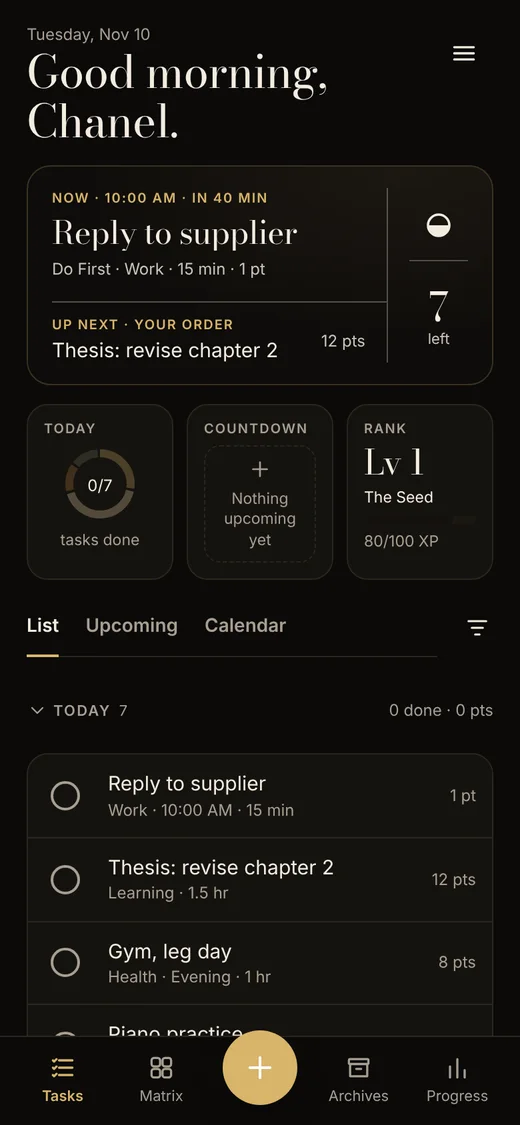
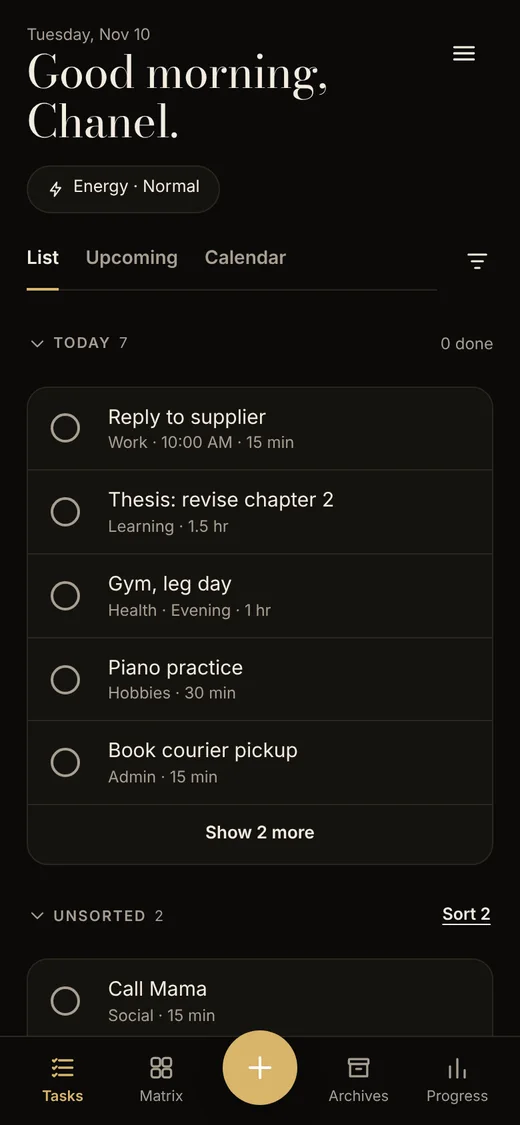
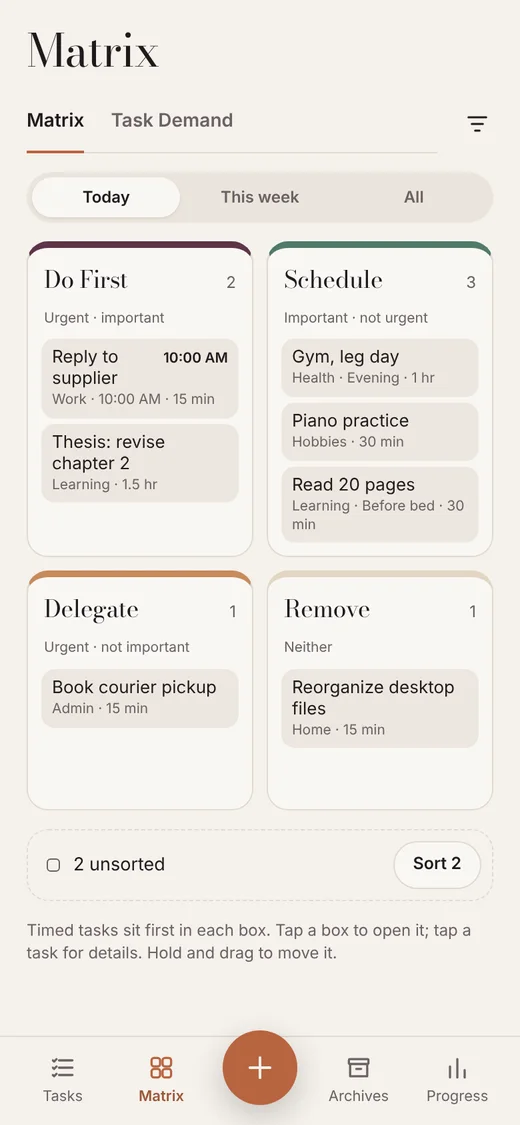
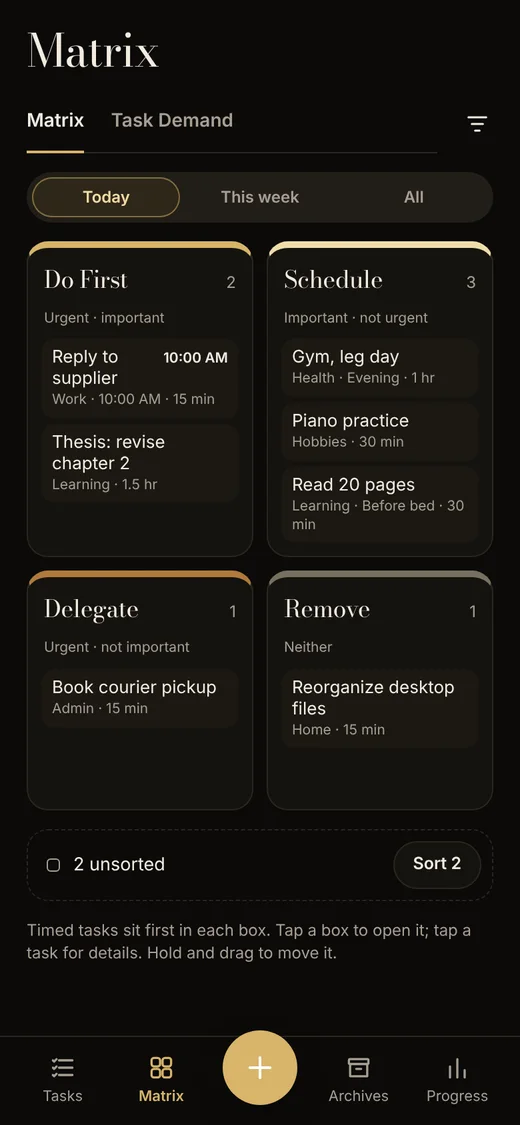
Real screens from v2.6–2.7 with sample data. Dark mode shows the Supernova theme.
Home · Task Banner, widgets and today
Matrix · sorted for today
Analytics · avoided tasks and B=MAP
Rank · constellations that only go up
What’s next
Speak a batch of tasks and let AI suggest where they go, confirmed in one tap like the Sort flow. Then a native app for the App Store.